

Introduction
Customer relationships are one of the most important parts of business growth. Whether a company is managing new leads, existing customers, sales follow-ups, support requests, or marketing campaigns, it needs a clear system to track every interaction.
This is where CRM becomes important.
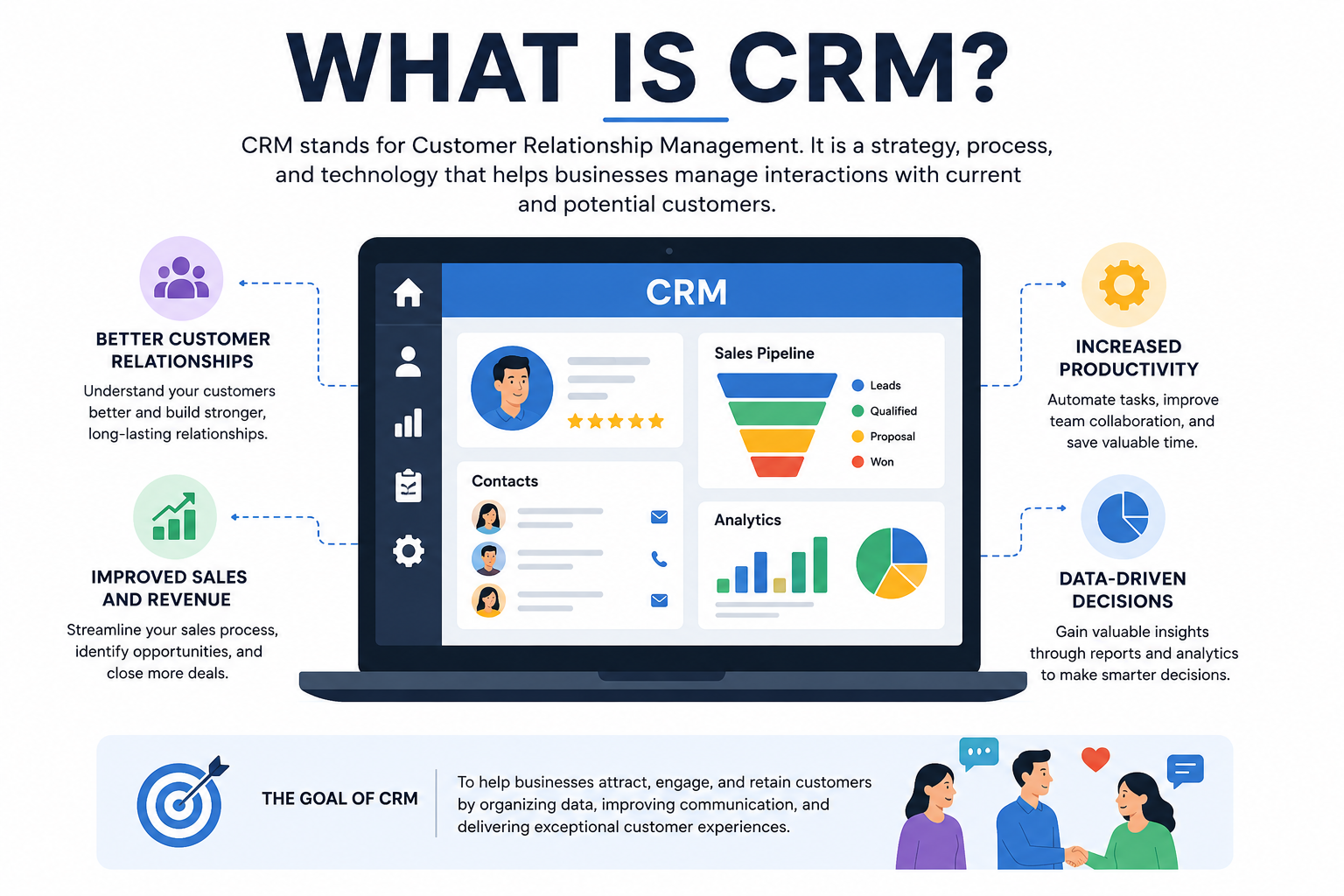
CRM stands for Customer Relationship Management. It is a system that helps businesses organize customer data, track communication, manage sales pipelines, automate follow-ups, and improve customer experience from one central platform.
Without a CRM, customer information often gets scattered across spreadsheets, inboxes, call notes, WhatsApp messages, and different team members. This creates confusion, missed follow-ups, duplicate records, and poor visibility into the customer journey.
A CRM solves this problem by giving sales, marketing, and service teams one shared view of every customer relationship.
%20(1).webp?width=3000&height=2000&name=7098132(1)%20(1).webp)
How is CRM Used Day-to-Day?
On a daily basis, a CRM system becomes the central hub for team activities:
-
Start of the Day: Review tasks and set priorities for customer outreach and follow-ups.
-
Throughout the Day: Log calls and emails automatically, ensuring that all customer interactions are tracked and accessible.
-
Afternoon Updates: Update deal progress, add notes, and adjust pipelines as conversations and negotiations evolve.
-
End of Day: Schedule tomorrow’s follow-ups and set reminders, reducing the chance of missed opportunities.
By integrating these tasks into one system, teams can save hours of administrative work, keep information up to date, and ensure that nothing falls through the cracks.
How CRM Differs from Other Business Software
While CRM is at the heart of managing customer relationships, there are several other key software tools businesses use, each with its own specialized focus.
-
CRM systems are designed to centralize and organize all customer interactions, sales activities, and touchpoints across your business. This means every sales call, email, or service request can be accessed through a single, unified platform.
-
Enterprise Resource Planning (ERP) systems
take a broader approach, focusing on internal operations like inventory management, accounting, supply chain logistics, and human resources. Think of ERP as the backbone of organizational efficiency—keeping the gears running smoothly behind the scenes.
-
Marketing automation platforms such as Mailchimp or ActiveC ampaign focus on automating marketing campaigns, managing email lists, and nurturing leads through targeted communications. These tools help marketers create, schedule, and track campaigns efficiently, but don’t typically manage detailed customer histories in the way a CRM does.
-
Help desk tools like Zendesk or Freshdesk are built to manage customer support issues—tracking support tickets, logging resolutions, and ensuring customers get timely assistance.
In short, CRM serves as the bridge that connects your sales, marketing, and service teams with a shared understanding of each customer, while ERPs, marketing automation, and help desk platforms each handle specific business functions. Integrating these systems can boost productivity and create a seamless experience for both your team and your customers.
Successful HubSpot Implementation with Expert Support
A successful HubSpot implementation requires more than configuring the CRM. Businesses also need the right structure, guidance, and ongoing support to ensure their teams can use HubSpot effectively.
Rust Construction worked with HuboExperts for HubSpot CRM implementation and onboarding, helping their team move through the setup process efficiently while receiving ongoing guidance and support.
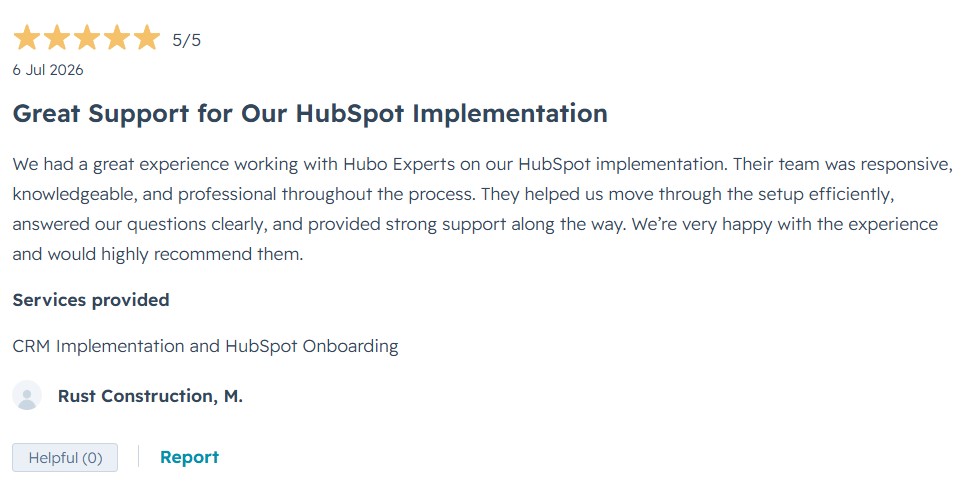
⭐⭐⭐⭐⭐ “Great Support for Our HubSpot Implementation”
“We had a great experience working with Hubo Experts on our HubSpot implementation. Their team was responsive, knowledgeable, and professional throughout the process. They helped us move through the setup efficiently, answered our questions clearly, and provided strong support along the way. We’re very happy with the experience and would highly recommend them.”
This 5-star client experience reflects our approach to HubSpot onboarding and CRM implementation—combining technical expertise with responsive support to help businesses build a CRM setup that works for their team.
Services Provided: CRM Implementation & HubSpot Onboarding
Client Rating: ⭐⭐⭐⭐⭐ 5/5
Types of CRM
Different businesses use CRM systems for different purposes. The main types of CRM include operational CRM, analytical CRM, collaborative CRM, and strategic CRM.
| Type of CRM | Purpose | Best Use Case |
|---|---|---|
| Operational CRM | Helps manage daily sales, marketing, and service activities | Lead management, follow-ups, pipeline tracking, automation |
| Analytical CRM | Helps analyze customer data and business performance | Reporting, forecasting, customer behavior analysis |
| Collaborative CRM | Helps teams share customer information across departments | Sales, marketing, and support team alignment |
| Strategic CRM | Helps businesses build long-term customer relationships | Customer retention, loyalty, and lifecycle management |
CRM vs Spreadsheet: What is the Difference?
Many small businesses start by managing leads and customers in spreadsheets. While spreadsheets may work in the beginning, they become difficult to manage as the business grows.
| CRM | Spreadsheet |
| Stores customer data in a structured system | Stores data manually in rows and columns |
| Tracks emails, calls, tasks, deals, and notes | Requires manual updates |
| Automates follow-ups and workflows | No built-in automation |
| Provides reports and dashboards | Limited reporting |
| Supports team collaboration | Easy to create duplicate or outdated data |
| Scales with business growth | Becomes difficult to manage with large data |
A spreadsheet can store data, but a CRM helps businesses act on that data.
Who Needs a CRM?
CRM is useful for any business that manages leads, customers, sales conversations, marketing campaigns, or support requests.
Businesses that need CRM include:
-
B2B companies
-
SaaS companies
-
Real estate businesses
-
Consulting firms
-
Agencies
-
Education businesses
-
Healthcare and wellness companies
-
Financial service providers
-
E-commerce brands
-
Local service businesses
If your business depends on customer relationships, follow-ups, sales pipelines, or repeat communication, a CRM can help you operate more efficiently.
Popular CRM Platforms
There are many CRM platforms available, and the right choice depends on your business size, budget, process, and growth goals.
| CRM Platform | Best Fit | Key Strength |
| HubSpot CRM | Small to mid-sized businesses and growing teams | Easy to use, strong automation, marketing and sales tools |
| Salesforce | Enterprise and complex sales organizations | Advanced customization and enterprise scalability |
| Zoho CRM | Small businesses and budget-conscious teams | Affordable CRM with flexible features |
| Pipedrive | Sales-focused teams | Simple visual sales pipeline |
| Monday CRM | Teams that want flexible project-style CRM | Custom boards and workflow visibility |
Why HubSpot CRM is a Popular Choice
HubSpot CRM is popular because it combines contact management, sales pipeline tracking, marketing automation, reporting, email tools, forms, live chat, and customer service features in one platform.
It is especially useful for businesses that want a CRM that is easy to adopt but still powerful enough to scale. Sales teams can manage deals, marketing teams can nurture leads, and service teams can manage customer communication from the same system.
HubSpot also connects with many business tools, making it easier to build a connected sales and marketing process.
Benefits of Implementing CRM
CRM systems help businesses to better understand customer behavior, target their marketing more effectively, and improve customer service. With its ability to store customer information in one place, it gives businesses the necessary data to make informed decisions.
More Personalized Service: CRM systems allow businesses to store customer data in one place, allowing them to build detailed customer profiles. This makes it easier for customer service agents to get to know customers, anticipate their needs, and deliver better customer service.
Improved Data Accuracy: With CRM, businesses can reduce the need for manual data entry, which can lead to fewer mistakes.
Increased Sales: A properly implemented CRM system can help businesses track customer data across all channels, allowing them to identify sales opportunities and maximize their potential.
Better Analytics: CRM systems can provide detailed insights into customer behavior, allowing businesses to make better decisions when it comes to marketing campaigns, customer service, and more.
Conclusion
A crucial tool for any firm is customer relationship management. By using CRM, businesses can gain a better understanding of their customers, improve customer service, increase sales, and improve their bottom line. With its ability to store customer data in one place, it makes it easier to track customer interactions and identify sales opportunities. By implementing CRM, businesses can improve their customer service, boost their sales, and become more profitable.
In today’s competitive digital landscape, businesses need more than just spreadsheets and disconnected tools to manage customer relationships. A powerful CRM system helps organizations organize data, improve communication, automate workflows, and create scalable growth strategies. Whether you are a startup, SaaS company, agency, or enterprise business, implementing the right CRM can significantly improve operational efficiency and customer experience.
At HuboExperts, we help businesses build connected CRM ecosystems using HubSpot that support lead generation, marketing automation, sales alignment, reporting visibility, and Revenue Operations. Our goal is to help businesses transform disconnected processes into scalable systems that drive long-term growth and better customer relationships.
Does your use case match our patterns?
Let’s map out your scope, timeline, and data readiness with Div.
Book a free scoping call
Frequently Asked Questions
What is CRM?
CRM stands for Customer Relationship Management. It is a system that helps businesses manage customer interactions, sales activities, marketing campaigns, and customer data in one centralized platform.
Why is CRM important for businesses?
A CRM helps businesses improve customer relationships, organize lead data, automate follow-ups, increase sales efficiency, and improve overall business growth.
How does HubSpot CRM work?
HubSpot CRM collects and organizes customer information, tracks interactions, automates workflows, and provides reporting dashboards to help teams manage sales and marketing activities more effectively.
What are the benefits of using a CRM system?
CRM systems help businesses improve lead management, customer communication, reporting visibility, automation, collaboration, and revenue tracking.

